
How to raise your mog score
Separate capture problems from presentation choices, change one controllable thing at a time, and use a current-photo read to decide what to work on next.
TL;DR
The shortest version before the full guide.
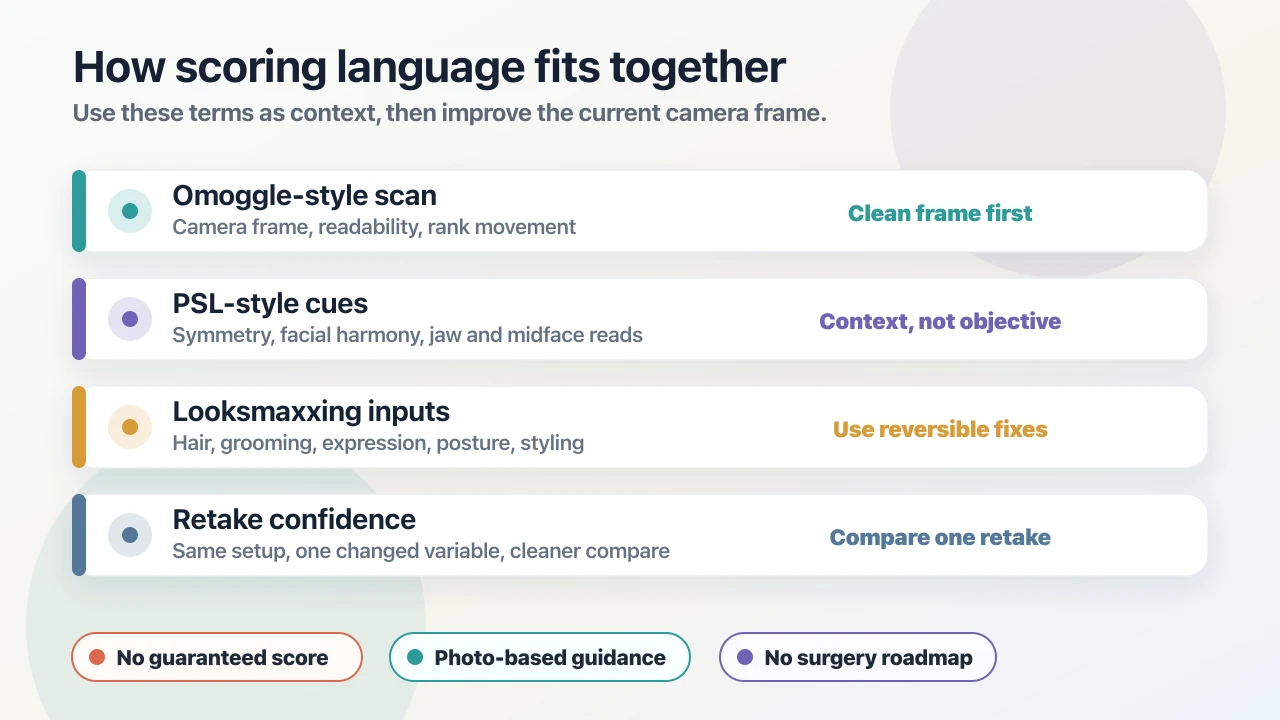
- A mog score is a read of one current photo, so the fastest gains usually come from the photo itself.
- Fix capture first (light, camera height, distance, sharpness), then test presentation: grooming, hair, eyewear, expression, posture.
- Change one variable per comparison and repeat the capture before trusting a higher number.
- Only work on reversible, everyday changes; a score is not a reason to consider surgery or extreme measures.
- When you want a prioritized list instead of guesswork, an AI Face Analysis report explains what to change first.
What a mog score can and cannot measure
A mog score from MogScore is a read of one current photo. It reflects what the image shows: light, angle, framing, sharpness, grooming, hair, expression, and the face as captured in that moment. It is not a permanent rank, a measurement of your worth, or a verdict on how other people see you in person.
That framing is useful, because it tells you where the room for improvement is. Most of the inputs above are things you control. This guide splits them into two layers, capture and presentation, and gives you a way to test changes so a higher number reflects something real.
If you have not taken a baseline yet, get a free Mog Rating preview with a clear current photo first. It does not require login. Keep that photo and its result as your starting point.
Layer one: fix the capture before anything else
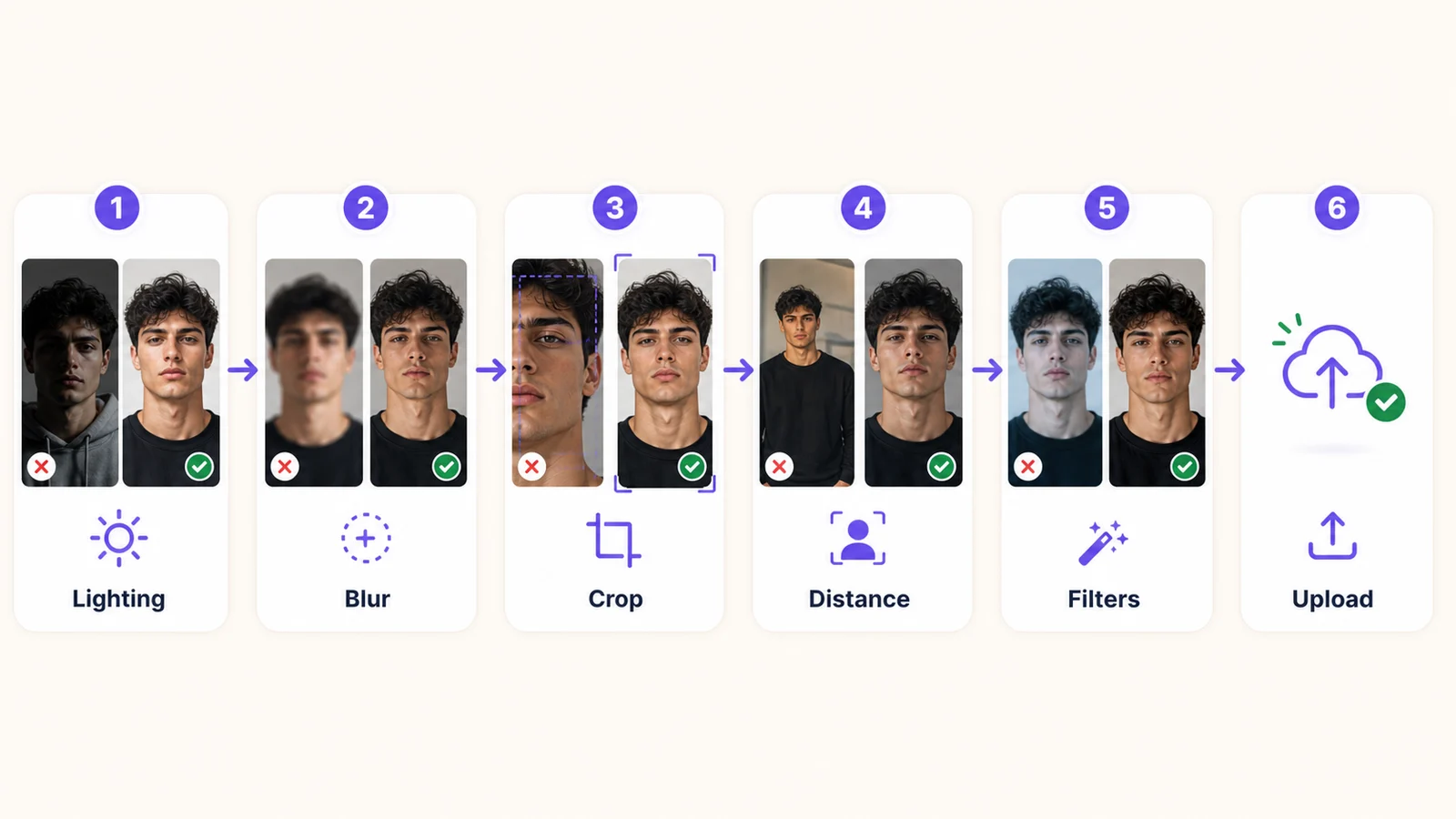
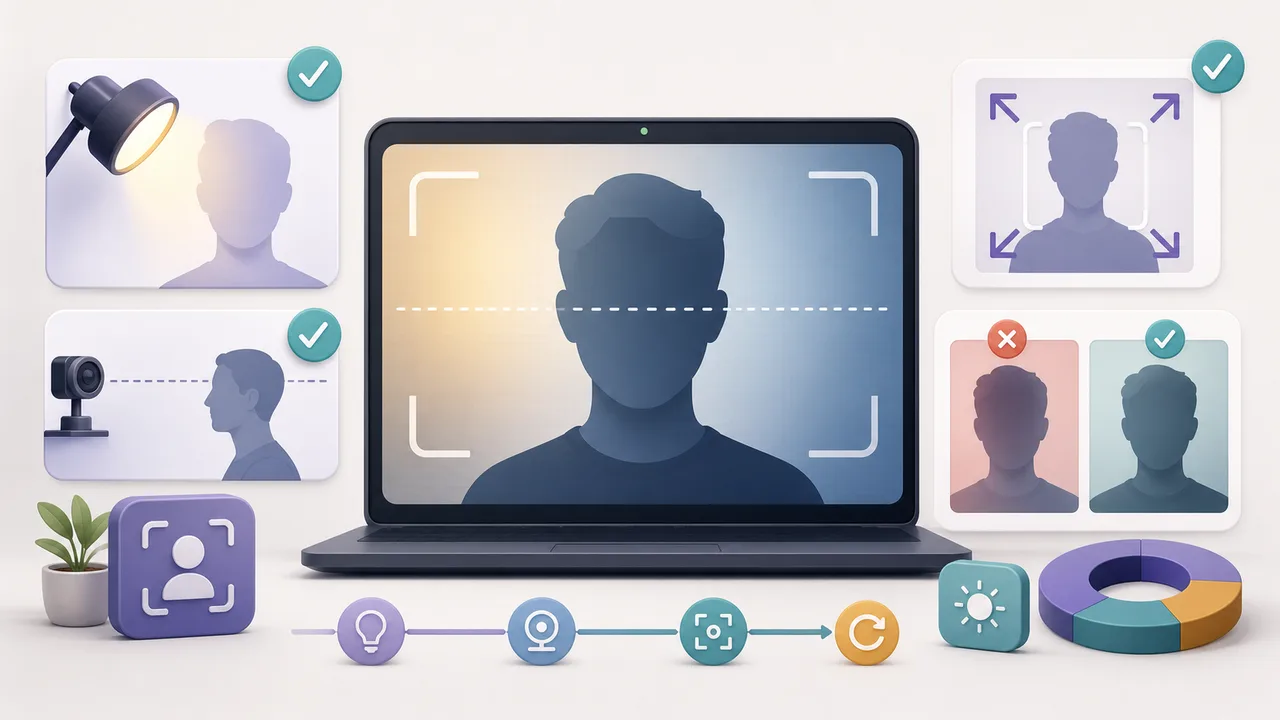
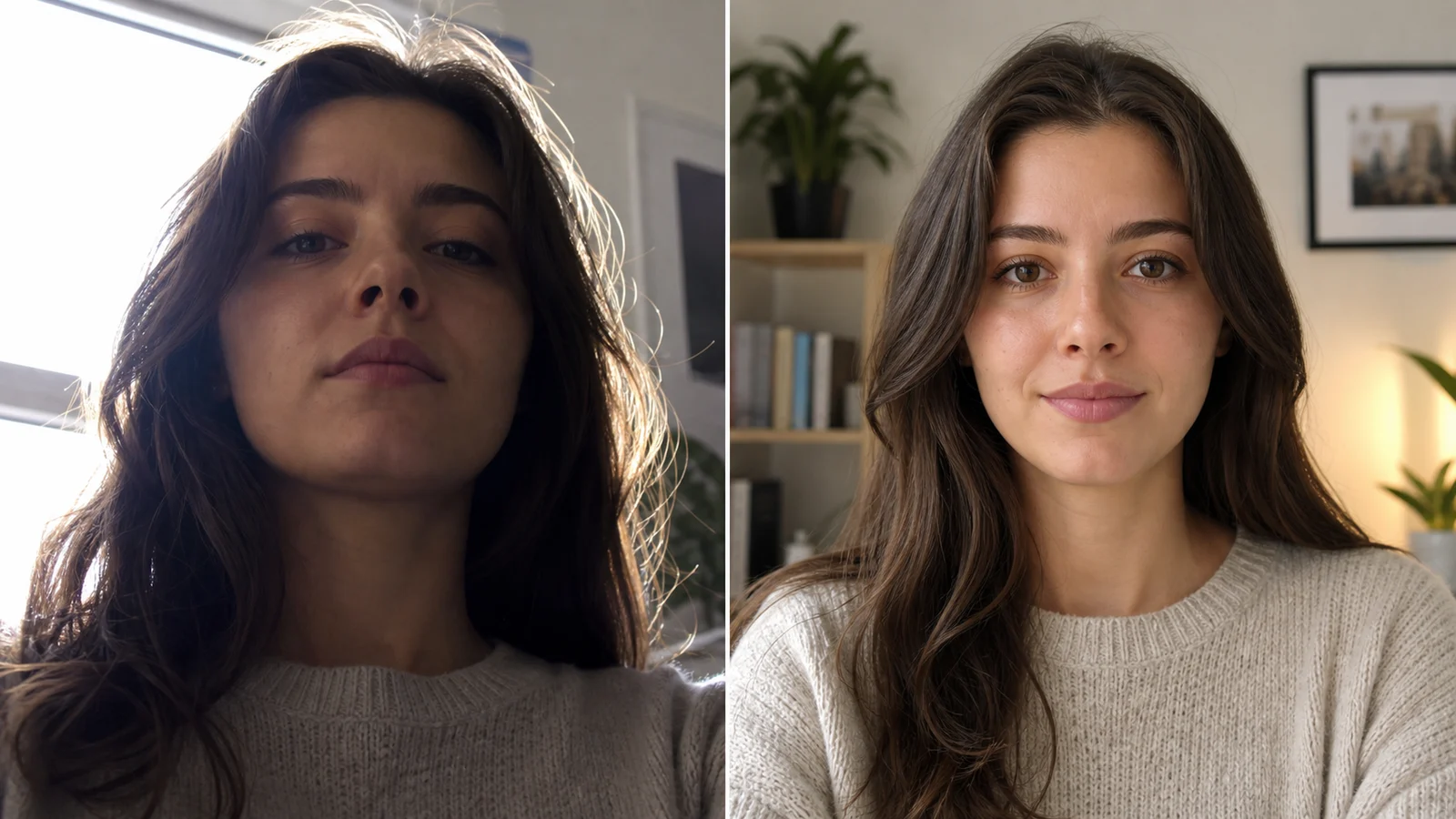
A poor capture can hide everything else. Before changing your appearance, check the photo against these questions:
- Is your face lit from the front? A window or lamp behind you darkens the face. Turn toward the light instead.
- Is the camera at eye level? A low camera exaggerates the chin and nostrils; a high one shrinks the lower face.
- Is the lens too close? Very short distances distort proportions, especially the nose. Step back and frame head and shoulders.
- Is the image sharp and unfiltered? Use the original file, not a screenshot, beauty filter, or heavily compressed copy.
These checks are covered step by step in Camera Setup for Mog Score and the photo selection checklist. Do them once, write the setup down, and reuse it for every later comparison.
Layer two: test presentation changes that are reversible
Once the capture is repeatable, test changes you can undo or adjust. Pick the one that matches what you actually see in your baseline.
| What the baseline shows | One change to test | Where to go deeper |
|---|---|---|
| Hair covers the eyes or forehead, or the outline looks untidy | A trim, a different part, or moving the fringe off the eyes | Hairstyle preview guide |
| Uneven stubble or a blurry beard edge | Clean neckline and cheek line, or a shorter even length | Beard styles by face shape |
| Frames that sit low, cover the brows, or reflect light | A different frame size or shape, adjusted fit, lenses angled away from the light | Glasses by face shape |
| Hair color that blends into the background or skin in photos | A preview of a nearby shade before any dye decision | Hair color for skin tone |
| A tense jaw, raised shoulders, or a forced expression | Relaxed shoulders, neck long, a natural or slight smile | How to look better in photos |
Longer-term habits such as sleep, basic skincare, and consistent grooming also show up in photos over time. They are covered in the beginner looksmaxxing routine. Treat them as weeks-long habits rather than a fix for tomorrow's photo.
Run each test as a fair comparison
Change one variable at a time. If you get a haircut, change your lighting, and smile differently in the same retake, you cannot tell which change mattered.
- Baseline: keep the original photo, its setup notes, and its result.
- One change: apply a single change from the table above. Keep light, camera, distance, crop, and expression as close to the baseline as practical.
- Repeat: take a second capture of the changed version. If the two retakes disagree, the difference may be ordinary variation.
- Compare what you see: check whether the change made the face clearer or the presentation closer to what you want. Record the score next to that observation.
- Keep or drop: keep changes you like and can maintain. Drop changes that only produce a number you cannot reproduce.
The Omoggle retake protocol has a copyable note format for this process. The same method works for a MogScore baseline.
What not to do for a higher number
Some shortcuts produce a higher score without changing anything real, and some carry risks that a photo score never justifies.
- Filters, face warps, and edited uploads: they rate an edited image, not your current photo, so the result tells you nothing useful.
- Cherry-picking: taking forty photos and keeping the single highest score mixes ordinary variation with real change.
- Extreme or medical measures: a current-photo score is not a reason to consider surgery, crash diets, or unproven products. If you have a health or skin concern, talk to a qualified professional rather than optimizing a number.
- Comparing across tools: scores from different apps, or community scales like PSL, have no verified conversion. Track one tool and one setup over time.
If a comparison or label is starting to feel harsh, the looksmaxxing slang guide explains how to read terms like mogging as context rather than a judgment.
Turn your score into a plan
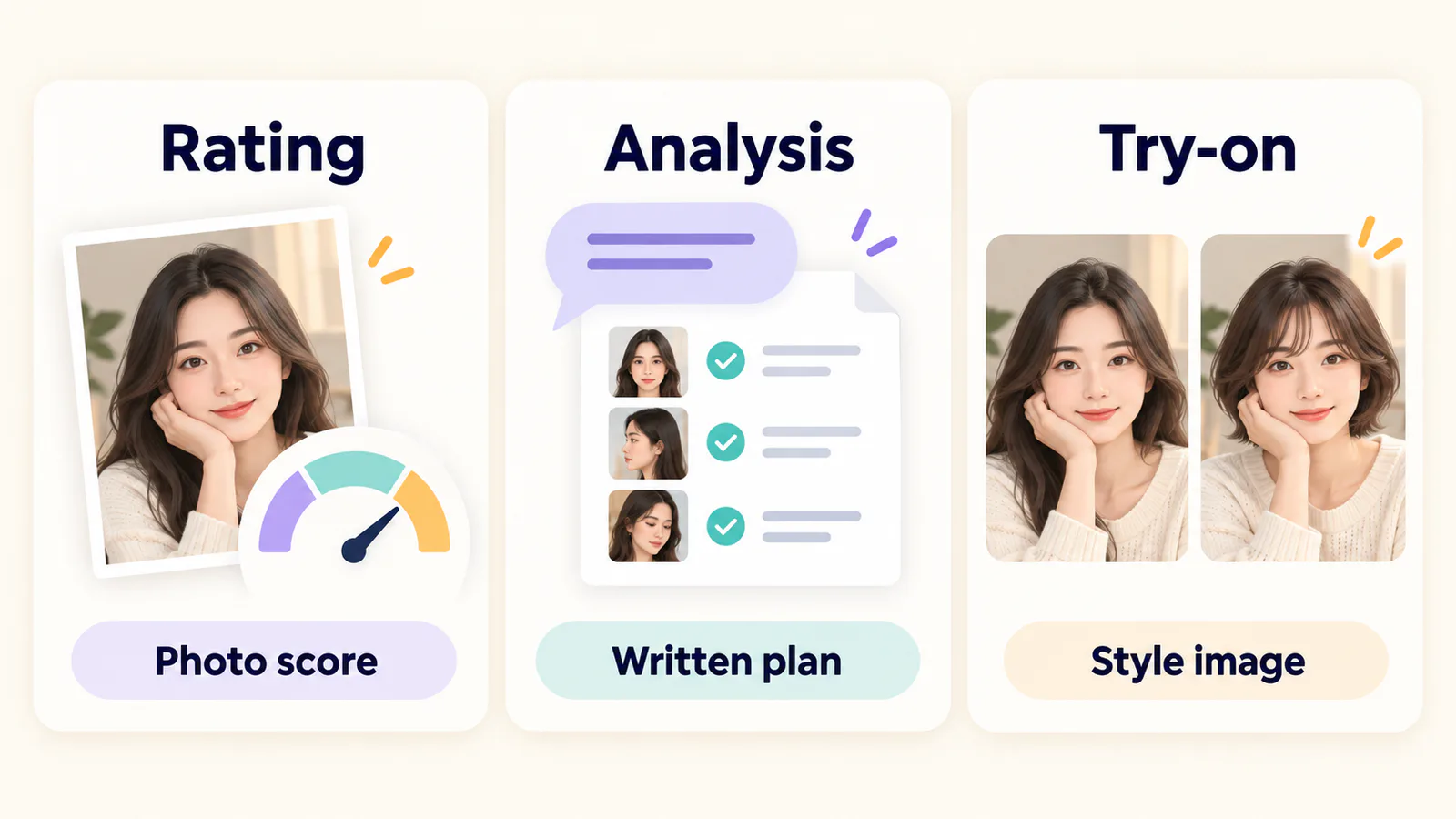
A score tells you where a photo stands. It does not tell you what to change first. If you want a prioritized list instead of trial and error, AI Face Analysis is the next step: you sign in with Google, talk through your goals, and add photos for a saved glow-up report that explains which visible, controllable factors to work on and in what order. It uses Credits, it does not rescore your photo, and it stays photo-based and non-medical.
For the difference between a quick score and a written report, read AI Face Rating vs AI Face Analysis. You can also look at an example analysis report before deciding.
Start with today's baseline
Take one clear current photo in the setup from layer one and run a free Mog Rating preview. Pick one change from the table, test it fairly, and stop when you have answered that question. One honest comparison is worth more than a dozen random retakes.
Prepared by MogScore; updated November 9, 2026. The comparison steps and table are editorial guidance, not measured score outcomes. No score increase is promised for any change described here.
Frequently Asked Questions About How to Raise Your Mog Score: A Practical, Photo-Based Plan
Answers to common questions about this guide.
Use the guide with a current-photo preview
Start with one clear photo, then use the guide to decide which setup or style change to test next.
Related articles
Continue with the next setup, glossary, or product guide.
 RoutineLooksmaxxing Routine for Beginners: Simple Daily HabitsStart with five habit areas you control, keep them simple for four weeks, and use the same current-photo setup to see what changed.
 How-toHow to Look Better in Photos: Light, Angle, Posture, and ExpressionMost unflattering photos come from a few fixable conditions. Find the light, set the angle, relax your posture and expression, and choose the frame on purpose.
 How-toHow to Improve Omoggle Score Before Your Next ScanCreate a baseline, fix one visible capture problem, and repeat the setup before interpreting an Omoggle-style score change.
 How-toCamera Setup for Repeatable Face Photo ComparisonsMake a repeatable baseline, keep a capture note, and run one useful retake without changing the whole setup.Workflow GuideAI Face Rating vs AI Face Analysis: Which Should You Use?Choose a score preview, a written plan, or an edited image, then prepare the right inputs.